Email
08:42Meet EVE.
Your AI assistant. For the whole day.
Turn emails, plans, and open projects into a clear next step. An AI assistant for your personal life and company work.
Private access. Invitations and devices will be announced later. About access
 Inside EVEDesktop preview
Your day, at a glance.
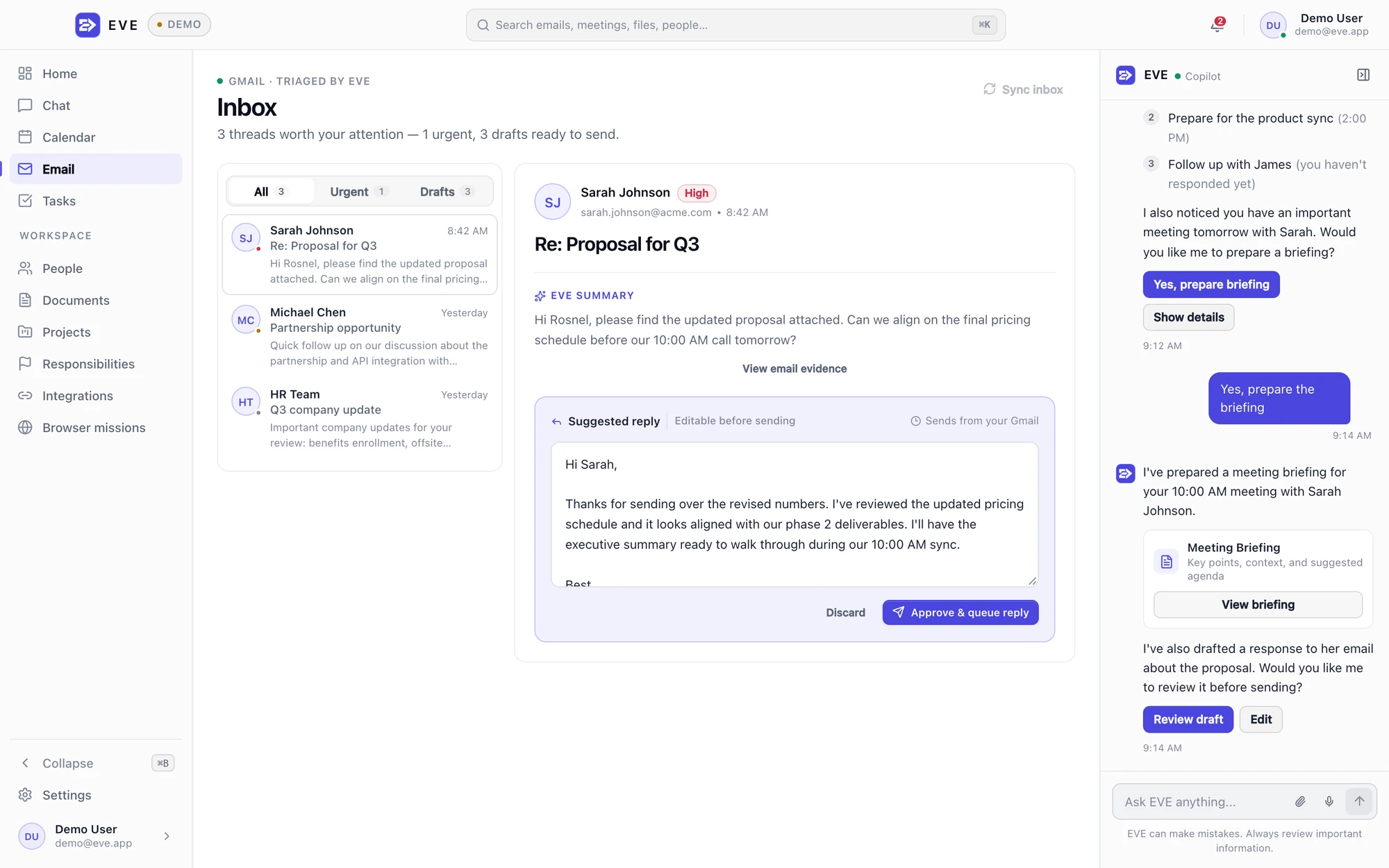
The email. The context. The reply.
What needs doing next.
360° Inside the app
One assistant.
Every part of your day.
From the first email to the next milestone. Take a tour of the workspace, useful memories, and the actions you control.
Take the 360° tour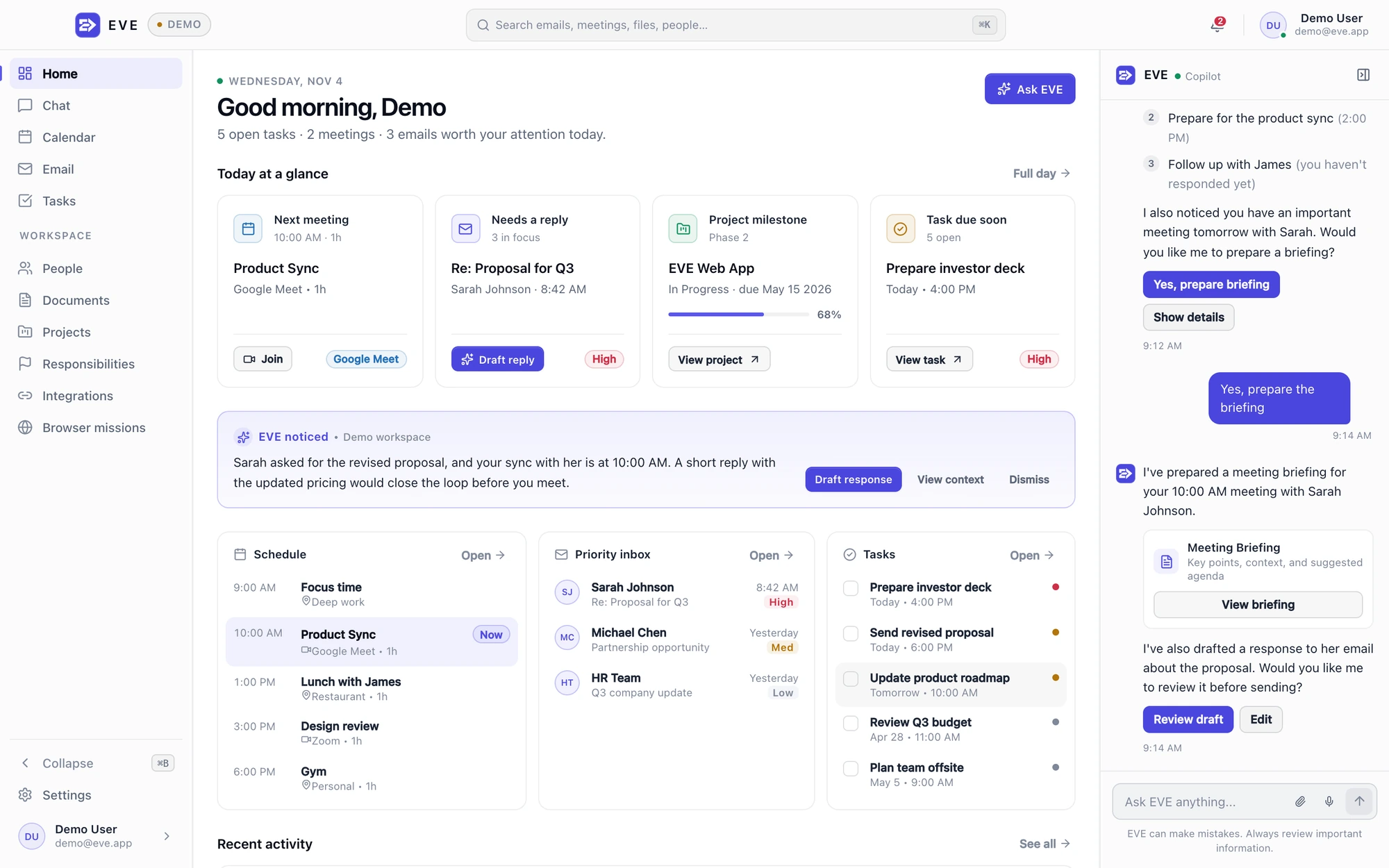
See EVE in motion
From a busy day
to a clear next step.
Review the reply. Finish the task. See your project move forward.
Your schedule, priority mail, and tasks appear together.
Read the walkthrough
EVE shows the day’s schedule, priority mail, and tasks in one workspace. A fictional Northstar proposal is opened for reply review. The request, recipient, and editable draft are visible. The draft is expanded and edited; no reply is sent.
In Tasks, the proposal task is reviewed and completed. Open tasks decrease from five to four; completed tasks increase from one to two. In Projects, another linked task is completed and Northstar’s progress updates from 40% to 60%. The motion returns to the day view and repeats.
These examples use fictional local data in EVE’s development interface. Access remains private; invitations and supported devices will be announced later.
01 Life & work
A lot on your plate.
One place to start.
Your own plans, a busy workday, or the next company project. Give EVE the context. Start with what’s on your mind.
01 The useful context
Calendar
10:30Design check-in with Alex
Remembered preference
You prefer focused work before lunch.
“Help me get ahead of today.”
02 A next step, with EVE
Review the proposal before 10:30.
Bring the email and check-in together, then prepare a reply for you to review.
- Read the changes to the proposal
- Review the reply to Alex
01 The useful context
Calendar
TuesdayDentist appointment
Personal task
TomorrowPick up a prescription
Remembered preference
You prefer appointments in the afternoon.
“Help me organize next week.”
02 A next step, with EVE
Plan Tuesday around your appointment.
Keep appointments and everyday tasks in the same plan, with your afternoon preference in mind.
- Prepare your questions for Tuesday
- Review tomorrow’s reminder
01 The useful context
Project
Final reviewWebsite launch
Document
Your notesLaunch checklist
Remembered preference
You like to start with the next action.
“What still needs doing for the launch?”
02 A next step, with EVE
Finish the launch checklist.
Use the notes, open tasks, and milestone to decide what needs your attention next.
- Review the open launch questions
- Set a date for the final review
02 How it works
A clear path from
context to action.
Start with what’s on your mind. Keep the decisions that matter in your hands.
- 01
Bring in the context.
Your messages, plans, and saved preferences give EVE a useful place to start.
Explore connections - 02
Find the next step.
Read a briefing, prepare a reply, or organize the tasks behind a project.
Try an example - 03
Make the call.
Read the details. Edit the draft, approve the version you want, or decline it.
See your controls
03 Made personal
Useful context.
Clear decisions.
A preference remembered. A reply you can review. Small details that make EVE useful to you.
01 / MemoryThe details you don’t
The details you don’t
want to repeat.
A preference, a contact’s role, the facts behind a project. Save useful context, then review, correct, or forget it as things change.
Try editing a memoryA saved preference
“I do my best work
before lunch.”
Useful when planning your day
Leave room for focus before lunch.
02 / ProgressA goal ahead.
A goal ahead.
A step you can take.
See the milestone, the tasks behind it, and what needs your attention next. Follow a personal plan or the company project on your plate.
Explore your progressProject NorthstarIn progress
A clear path to the next milestone.
60%3 of 5 tasks complete
A clear starting pointComplete
Up next
Review the draft with Alex.
Illustrative project · Fictional data
03 / Action reviewRead the draft
Read the draft
before you send.
Check the recipient and the exact reply. Edit it, decline it, or approve the version you want EVE to send.
Try reviewing a replyIs EVE for personal use or company work?
Both. EVE brings personal plans, professional work, and company responsibilities into a workspace, with email, tasks, projects, documents, and useful context.
Explore the use cases
How can I try EVE?
Start with the interactive website demo. It uses fictional data and sends no email. Desktop and mobile are in development; you can leave your email to hear when EVE launches.
Try the demo
Do I decide what EVE sends?
For an email reply, you review the recipient and exact draft, then edit, decline, or approve it. Approval queues that reviewed reply for delivery through connected Gmail. The website example keeps every decision in the sample.
Understand action review
What information does EVE use?
EVE can use the accounts you choose to connect, the messages and documents you provide, and the context you save. Relevant information may be processed by configured cloud and AI services.
Read the privacy overview
A good place to start.
Make room for
what matters.
Join for a welcome, two short pre-launch updates, and one launch notice. Confirm your email to begin; you can unsubscribe at any time.
Early access[email protected]EVE is in development. See availability details.